
When building a programming workstation, one of the biggest questions developers face is where to invest their budget. Graphics cards under 500 Euros occupy an attractive middle ground, offering solid performance without entering the premium price range. But does spending hundreds of euros on a GPU improve programming productivity?
The answer depends almost entirely on the type of software being developed. While certain specialized workloads benefit tremendously from GPU acceleration, many developers will see far greater returns from investing in a faster processor, additional memory, or high-speed storage. Understanding how different programming disciplines use computer hardware is the key to making a smart purchasing decision.
Most Programming Tasks Depend more on the CPU than the GPU
What most users believe is, powerful and top-tier graphic cards are critical for programming. In reality, many everyday programming tasks place very little stress on a graphics card. Developers typically spend majority of their time writing codes, debugging, compiling projects, running virtual environments and testing software; and these workloads rely primarily on:
- Fast CPU performance
- Sufficient RAM
- High-speed SSD storage
- Stable internet connectivity
- Multiple displays for multitasking
Compilation times, code indexing, virtual machine performance, and integrated development environments (IDEs) benefit much more from modern processors than powerful GPUs.
When a Graphics Card under €500 makes Sense?
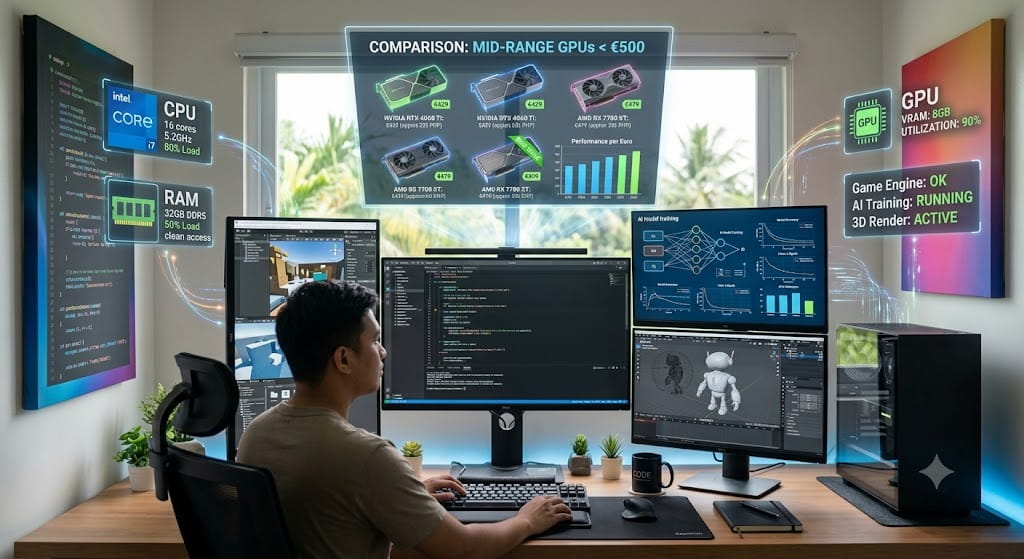
Although many programming disciplines do not require substantial graphics processing, others rely heavily on GPU acceleration. A graphics card under €500 often represents an excellent balance for developers working with specialized computational workloads, including:
- Game Development – modern game engines perform real-time rendering while designers and programmers build interactive environments.
- Machine Learning and Artificial Intelligence – many machine learning frameworks utilize GPU computing to accelerate neural network training and large-scale mathematical operations. While enterprise GPUs remain the standard for massive AI workloads, many sub-€500 graphics cards offer excellent entry points for learning and experimentation.
- 3D Graphics and Rendering – programmers developing visualization software, simulation tools, or rendering applications frequently benefit from hardware acceleration when testing graphics pipelines and rendering complex scenes.
- Computer Vision – applications involving image recognition, video processing, and object detection often leverage GPU parallelism to process large datasets more efficiently than CPUs alone.
For these workloads, investing in a capable mid-range GPU can significantly reduce waiting times and improve development efficiency.
Balancing Performance with overall System Value
One of the biggest mistakes developers make is allocating too much of their budget toward the graphics card while neglecting other equally important components. A balanced programming workstation often provides greater productivity than one with an expensive GPU but weaker supporting hardware.
Instead of purchasing the most powerful graphics card available, developers should consider balancing their investment across the entire system. An efficient workstation might prioritize:
- A modern multi-core processor
- 32 GB or more of RAM
- Fast NVMe SSD storage
- Reliable cooling
- Dual or triple monitor support
- A quality graphics card appropriate for the workload
For many programming environments, reducing compile times by upgrading the CPU provides more noticeable improvements than increasing GPU performance.
Likewise, additional memory allows more virtual machines, containers, browser tabs, and development tools to run simultaneously without slowing the system.
Looking beyond Raw Specifications
Graphics card marketing often emphasizes gaming benchmarks, ray tracing performance, and frame rates. While these metrics matter for gamers, programmers should evaluate GPUs using different criteria, in which some useful considerations include:
- Driver stability
- Compute capabilities
- Memory capacity
- Display connectivity
- Software compatibility
- Power efficiency
- Long-term support
For example, developers working with CUDA-based software may prioritize GPU compatibility with NVIDIA’s development ecosystem, while others using OpenCL or Vulkan may have different hardware preferences. Likewise, developers building cross-platform graphics applications may value modern API support more than maximum gaming performance.
Choosing hardware based on actual development requirements rather than benchmark scores helps maximize long-term productivity.
Planning for Future Projects
Programming careers often evolve over time. A web developer may later transition into game development, data science, artificial intelligence, or graphics programming. Purchasing midlevel graphics card can provide useful flexibility for future learning without significantly increasing system costs.
Modern mid-range GPUs are capable of handling a wide variety of workloads beyond traditional programming, including:
- GPU computing experiments
- AI model training
- Video editing
- Virtual reality development
- Scientific visualization
- Simulation software
This flexibility allows developers to expand their skill sets without immediately replacing their workstation.
However, future-proofing should be balanced against realistic needs. Buying hardware solely for possible future projects may not always represent the best financial decision, particularly if current work rarely uses GPU acceleration.
Invest in the Hardware that Matches Your Code
The best programming workstation is not determined by the most expensive graphics card, it is built around the specific demands of the software being developed. For web developers, backend engineers, and many application programmers, investing in a powerful CPU, abundant RAM, and fast storage often delivers greater productivity gains than upgrading to a high-end GPU.
That said, graphics cards under €500 offer excellent value for developers working in game development, machine learning, computer vision, 3D rendering, and other GPU-intensive fields. They provide enough computational power to accelerate demanding workloads while remaining accessible to professionals, students, and independent developers.